
Call Blocker5.4.747 - Google Play
You'll be able to see results in few seconds.
Publisher Description
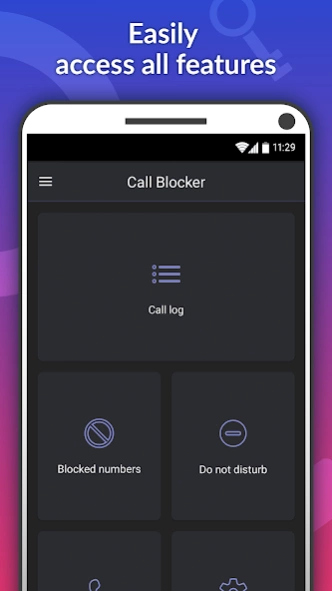
Smart caller ID makes it quick and easy to identify and block unwanted calls
Identify callers and
block
unwanted calls out of your life – forever! Block nasty
spam calls
, annoying sales calls, and more.
When your phone rings you will instantly see who is calling you, even if they’re not in your contact list! Our massive database of over
one billion numbers
can identify calls from all over the world. You can then choose whether to answer calls or instantly block them!
You will see detailed information about every call you receive and can start protecting your phone right away. Get rid of spammers, telemarketers, and other unwanted calls.
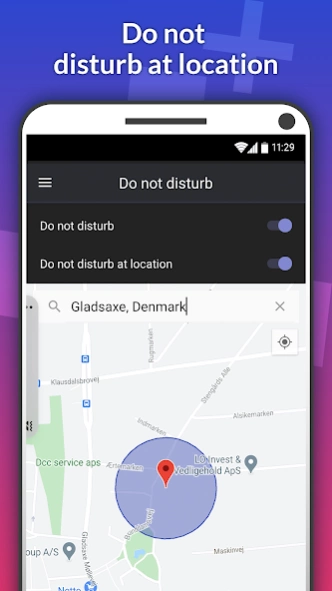
Avoid being disturbed in specific places with the location-based 'Do Not Disturb' feature. Choose the location by writing the address or selecting it on the map. When you are at the location, the feature activates automatically and no calls can disturb you. This saves you from having to remember to activate it at locations where you never want to be disturbed, such as the library, at work, or at school.
Call Blocker’s awesome features:
• Real-time Caller ID: See who is calling, every time your phone rings.
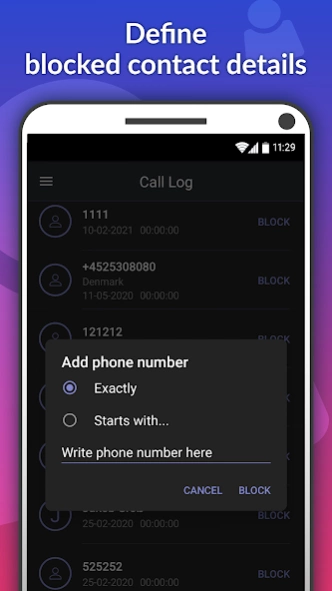
• Block callers instantly: Say goodbye to nuisance calls with a single click. Quick and easy!
• Easily blacklist and whitelist numbers so that you don’t miss the important calls that matter!
• Do not disturb function: Stops all calls while activated. You can select specific locations at which you want to avoid being disturbed.
• Add numbers you want to save to your contacts list or send them a direct text message.
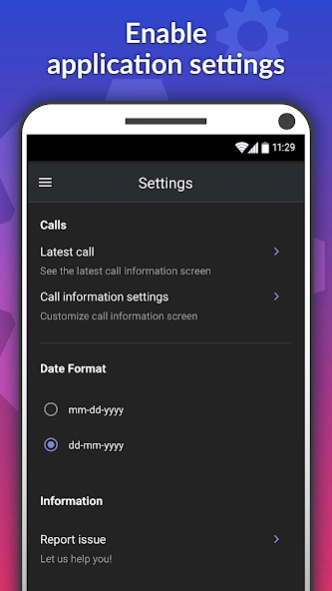
• Easy access to settings where you can change functions to suit your needs.
Call Blocker is simple and effective! Download the easy-to-use Call Block app today and never be bothered by spam calls again!
About Call Blocker
The company that develops Call Blocker is Glad Apps Technology. The latest version released by its developer is 5.4.747.
To install Call Blocker on your Android device, just click the green Continue To App button above to start the installation process. The app is listed on our website since 2024-03-21 and was downloaded 0 times. We have already checked if the download link is safe, however for your own protection we recommend that you scan the downloaded app with your antivirus. Your antivirus may detect the Call Blocker as malware if the download link to embware.phoneblocker is broken.
How to install Call Blocker on your Android device:
- Click on the Continue To App button on our website. This will redirect you to Google Play.
- Once the Call Blocker is shown in the Google Play listing of your Android device, you can start its download and installation. Tap on the Install button located below the search bar and to the right of the app icon.
- A pop-up window with the permissions required by Call Blocker will be shown. Click on Accept to continue the process.
- Call Blocker will be downloaded onto your device, displaying a progress. Once the download completes, the installation will start and you'll get a notification after the installation is finished.
Program Details
System requirements
Download information
Pricing
Version History
version 5.4.747
posted on 2024-03-21
version 5.726
posted on 2024-01-06
Thank you for using Call Blocker. We regularly update this app to optimize performance, add new features and integrate improvements based on your suggestions. We hope you continue to enjoy using this app.
Disclaimer
Official Google Play Link
We do not host Call Blocker on our servers. We did not scan it for viruses, adware, spyware or other type of malware. This app is hosted by Google and passed their terms and conditions to be listed there. We recommend caution when installing it.
The Google Play link for Call Blocker is provided to you by apps112.com without any warranties, representations or guarantees of any kind, so access it at your own risk.
If you have questions regarding this particular app contact the publisher directly. For questions about the functionalities of apps112.com contact us.
